Stop building diet charts in Excel and Word
MealDost brings your client records, a fast diet plan builder with live nutrition totals, 19,000+ Indian foods and recipes, and branded PDF diet charts together in one Windows app.
No payment needed to start · Windows 10 & 11 · Available on the Microsoft Store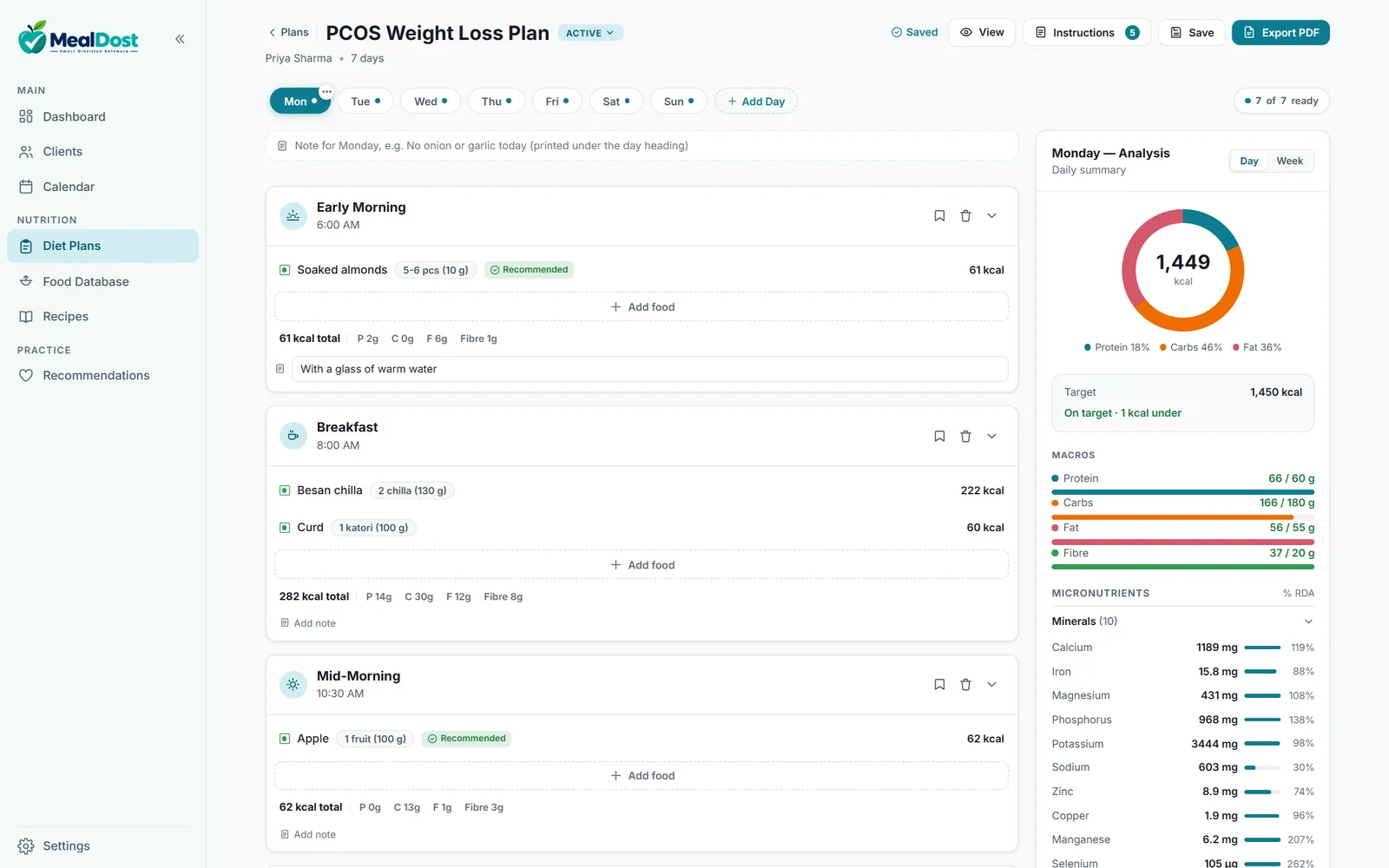
Sounds familiar?
Most dietitians still run a growing practice on tools that were never built for one.
MealDost replaces all four with one tool.
Everything you need, from first consultation to final diet chart
Build a full week's plan in minutes
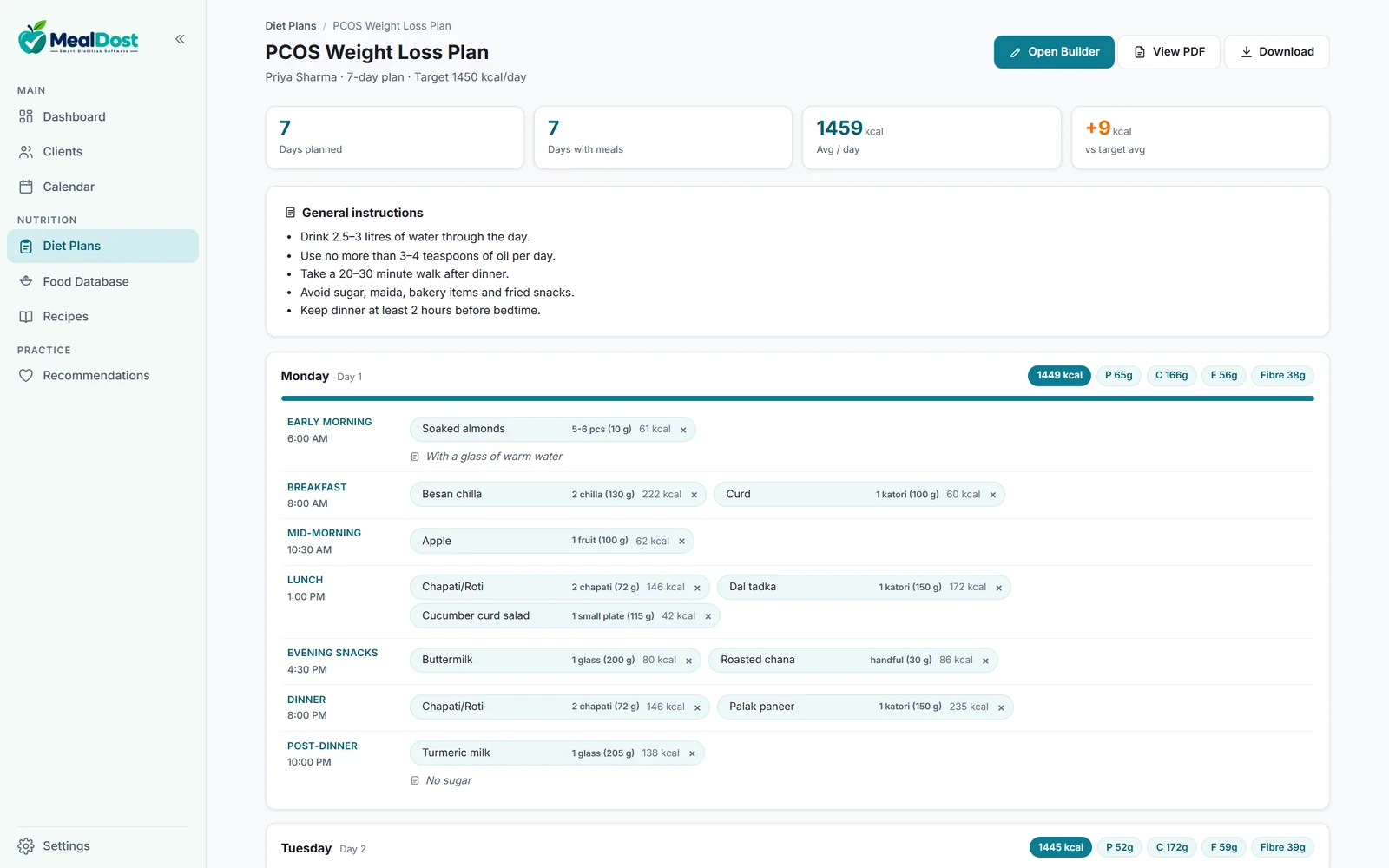
Pick foods for each meal of the day and see calories, protein, carbs, fat and fibre update as you go, measured against your client's target.
- Indian household portions: katori, roti, glass, piece, handful
- Search in Hindi or English: dahi finds curd, badam finds almonds
- Copy a day to the whole week, save favourite meals, add meal times and notes
- Clear warnings when a day goes over or under the target
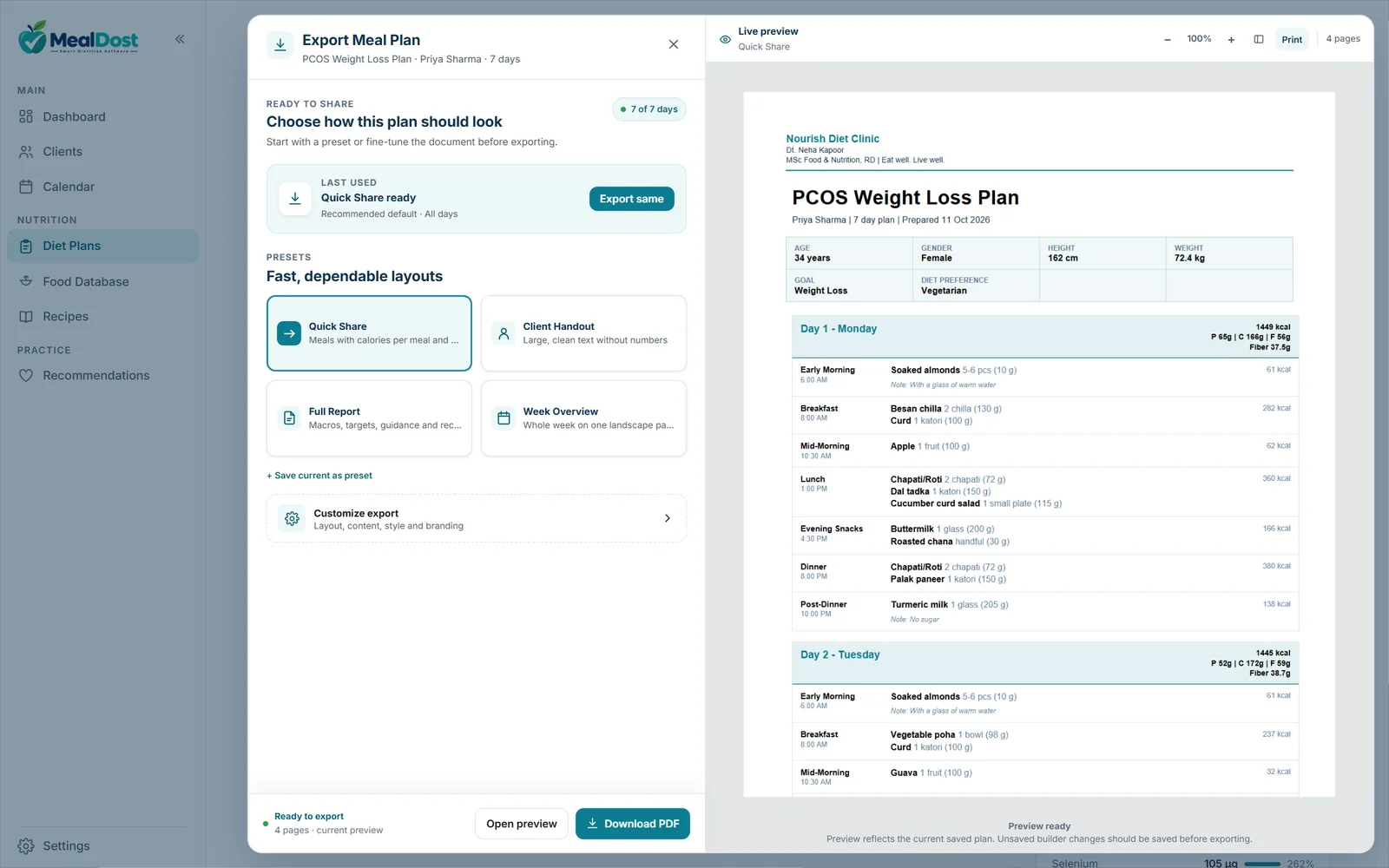
Diet charts with your clinic's name on them
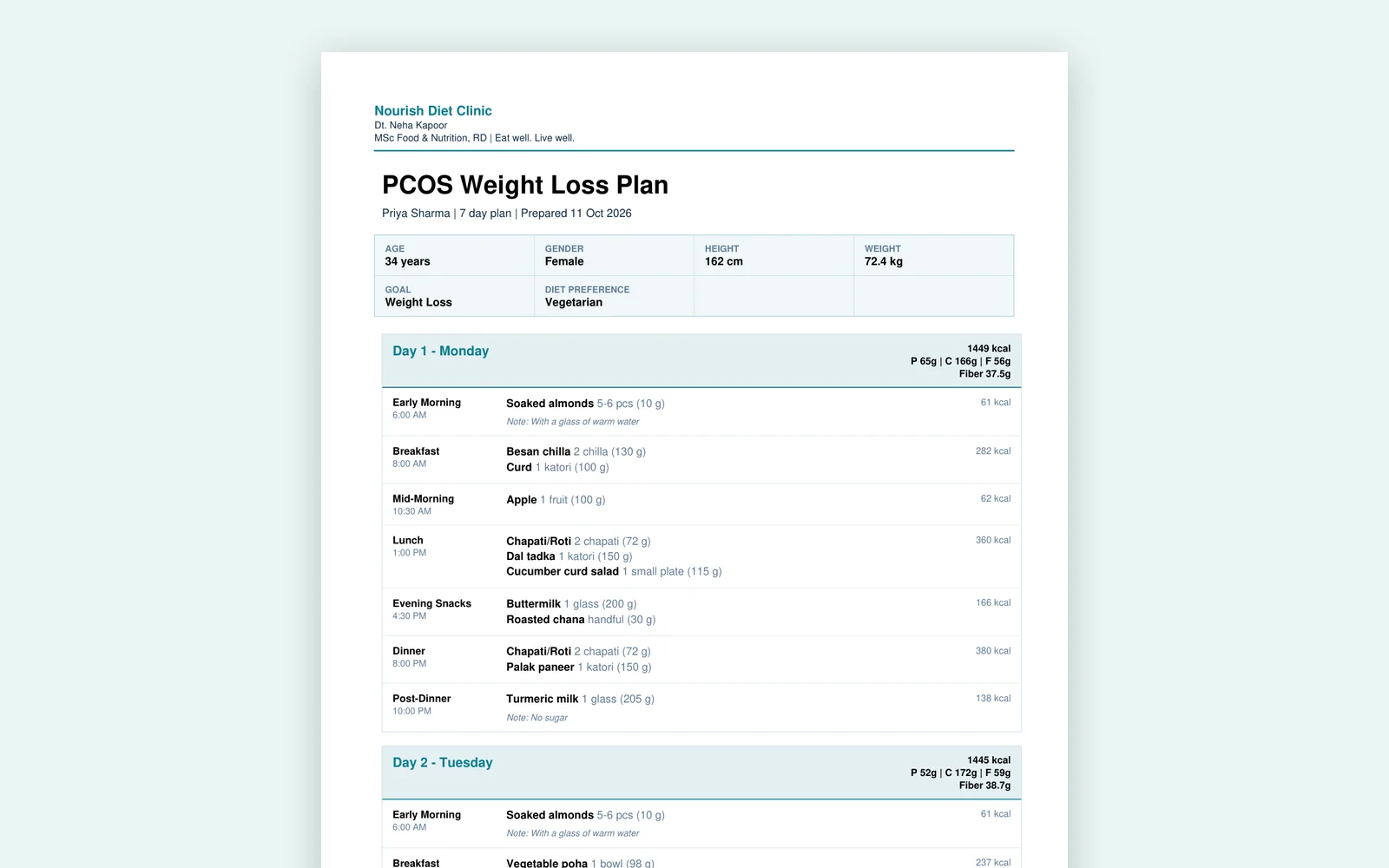
Export Studio turns a plan into a polished PDF in one click, with your clinic name, logo and colours. MealDost's name is not on it.
- Ready-made layouts: Quick Share, Client Handout, Full Report, Week Overview
- Show or hide calories and macros, choose days, add your instructions
- Live preview before you download or print
Every client's story in one place
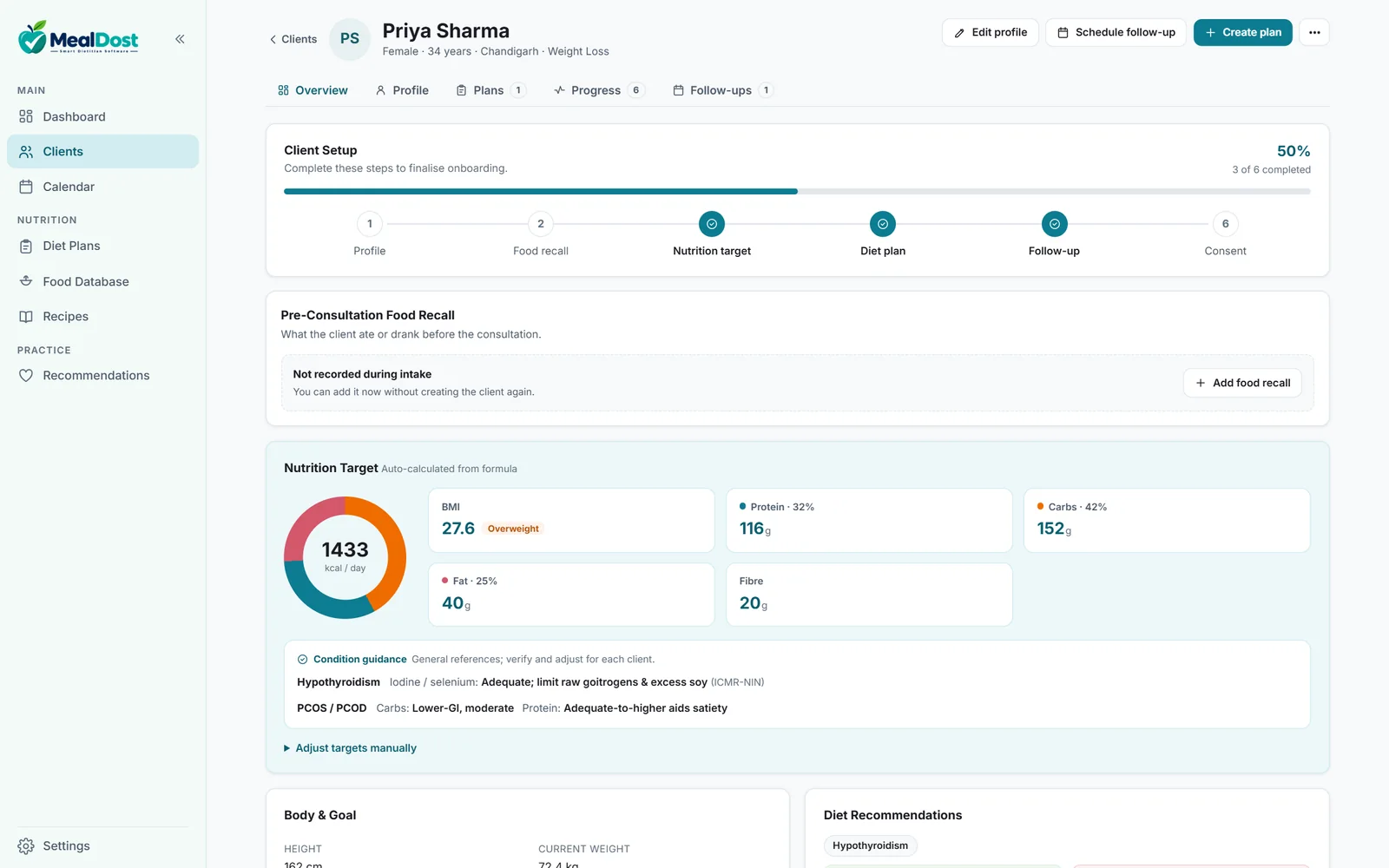
A complete intake and history for each client, with targets calculated for you from standard formulas.
- Medical conditions, medications, allergies, food likes and dislikes
- 24/48-hour food recall and women's health details
- Weight, waist, hip and MUAC progress over time
- Condition guidance for PCOS, diabetes, thyroid and more
Never miss a follow-up
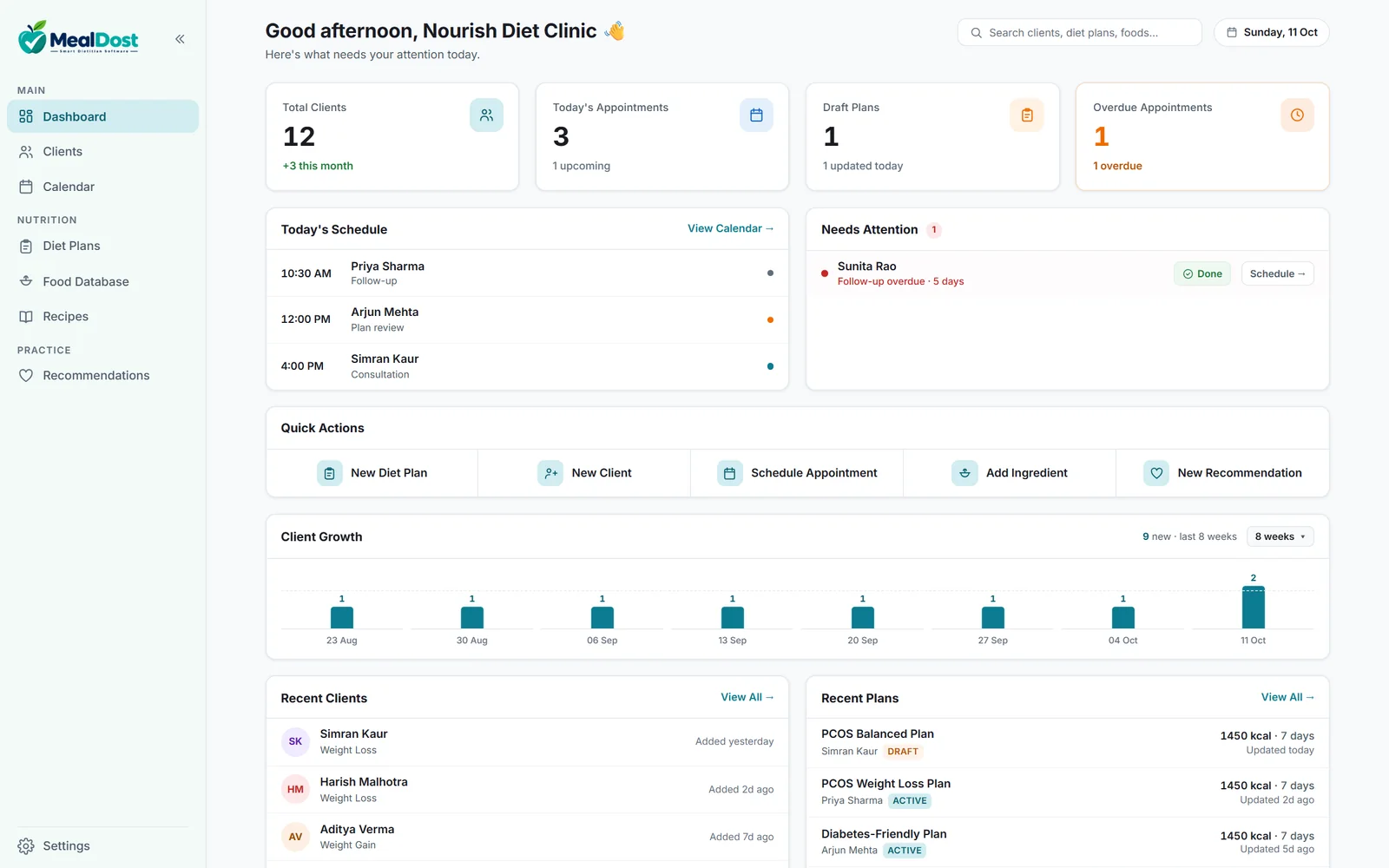
Your dashboard shows today's schedule and anyone who needs attention, so nothing slips through the cracks.
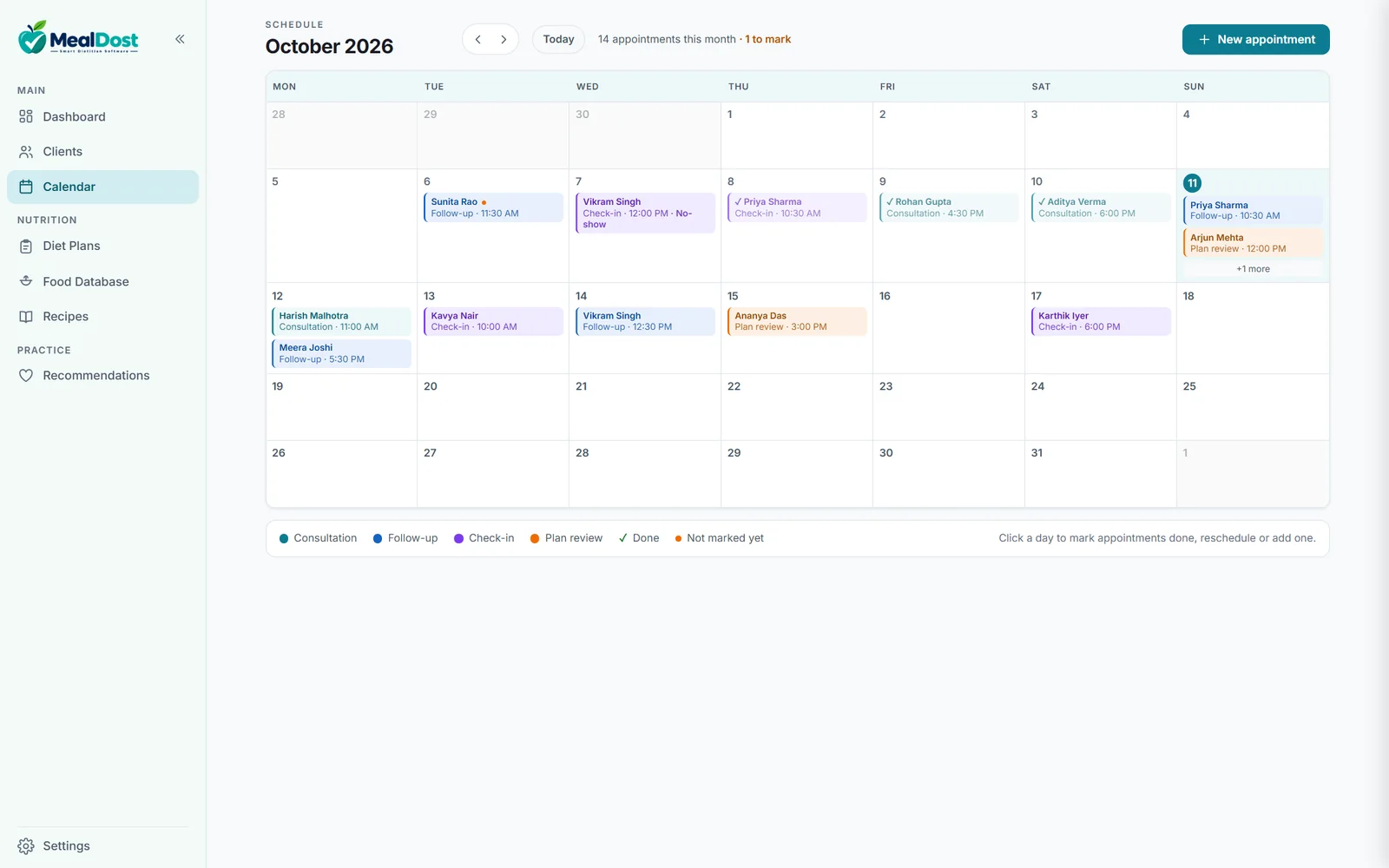
- Calendar for consultations, follow-ups, check-ins and plan reviews
- Mark appointments done, no-show or cancelled, and reschedule in a click
- Reminders for today's and overdue appointments when you open the app
And everything else a practice needs
All included in one plan. No tiers, no add-ons.
Indian food database
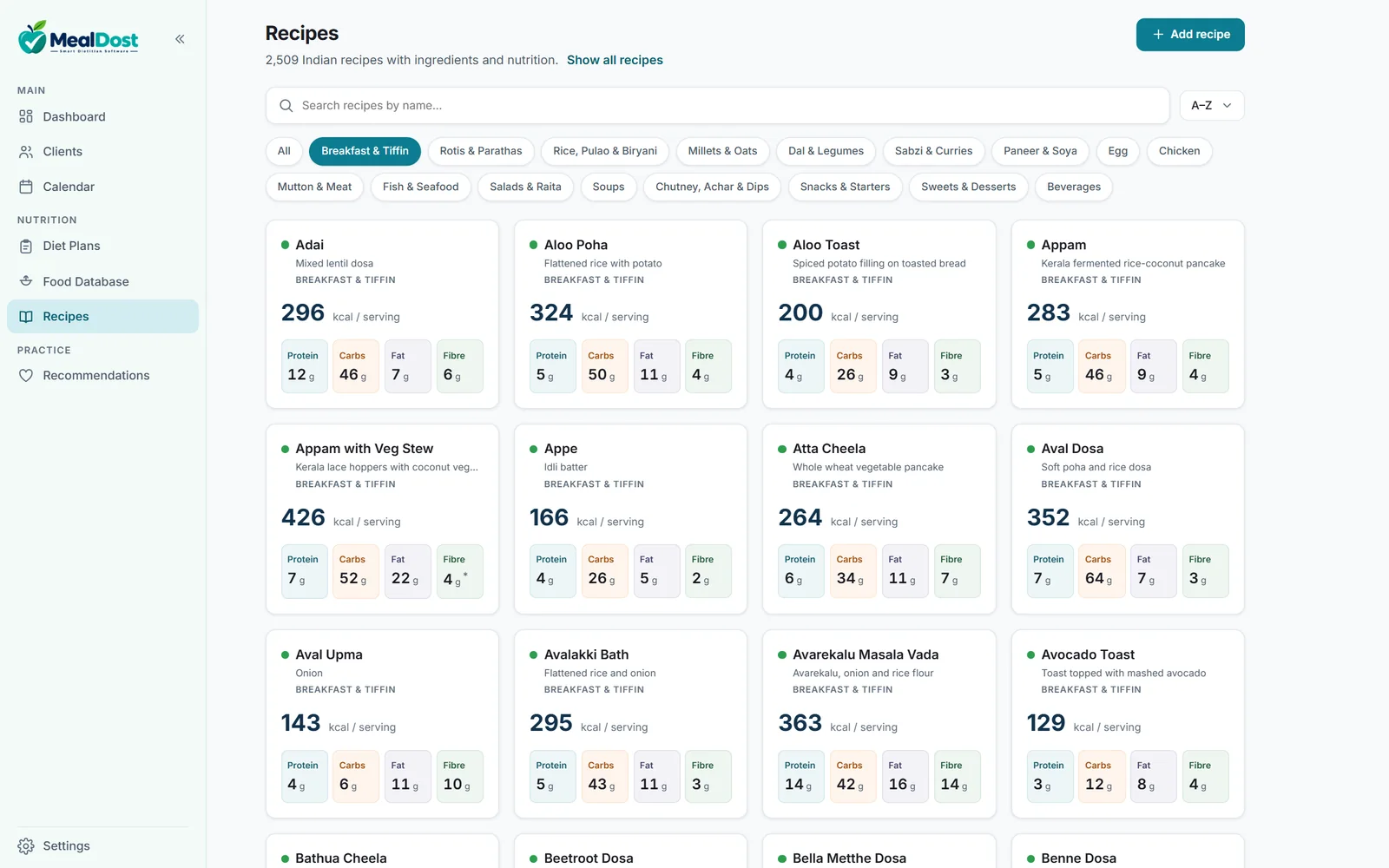
8,500+ foods and ingredients (IFCT, USDA), 1,100+ INDB dishes and 2,500+ curated Indian recipes. Add your own foods and recipes too.
Live nutrition analysis
Macros, fibre and 20 vitamins and minerals for each day and the whole week, compared with recommended daily intakes.
Condition guidance
Eat and avoid lists for common conditions that you can edit, plus reference notes shown on the client's profile.
Saved as you work
Every change is saved securely to the cloud. A daily encrypted backup is also kept on your PC, and you can download all your data as Excel and PDF at any time.
Clinic PC and laptop
Sign in on more than one computer with the same account. One device works at a time, so nothing is ever overwritten.
Your practice, your way
Rename and reorder meal slots, set default meal times, and keep plans as Draft, Active or Completed. Duplicate a plan for the next client.
Numbers you can stand behind
Food values come from standard Indian and international composition tables: IFCT 2017 from the National Institute of Nutrition, USDA, and INDB for cooked Indian dishes.
We cross-check foods and recipes against these sources and fix wrong units, mismatched foods and missing values with every update. When a value isn't confirmed, MealDost marks it, so you know what to double-check before it reaches a client.
Up and running in minutes
Download & sign in
Install MealDost on Windows, sign in with Google or your email, and start your 14-day free trial with one click.
Add clients & build plans
Record the client's details, check the suggested targets and build the plan with foods and recipes.
Share a branded PDF
Export a professional diet chart with your clinic's branding and send it on WhatsApp or email.
See MealDost in action
Real screens from the app. Click any picture to enlarge it.
Simple, honest pricing
One plan with everything included. Start with a 14-day free trial; no payment needed to start.
Monthly
₹499 / month
Pay monthly with Razorpay AutoPay (UPI or card). Cancel anytime from the app.
- 14-day free trial first
- Cancel anytime; access continues until the end of the paid month
- All features and updates included
Yearly
₹4,999 / year
Save ₹989 compared with paying monthly for a year (₹5,988).
- One payment for the full year
- No monthly AutoPay
- All features and updates included
Every plan includes
- Unlimited clients
- Unlimited diet plans
- 19,000+ foods & recipes
- Branded PDF diet charts
- Export Studio layouts
- Live nutrition analysis
- Calendar & follow-ups
- Cloud sync & daily backup
- Download all your data
- Your own foods & recipes
- Free updates
- Email & WhatsApp support
Secure payments by Razorpay · 7-day refund on your first payment (Refund Policy)
Frequently asked questions
Which computers does MealDost run on?+
Windows 10 and Windows 11 (64-bit) desktops and laptops. Install it from the Microsoft Store. A Mac version is not available yet.
Do I need internet to use MealDost?+
Yes. MealDost saves every change to the cloud, so it needs an internet connection to sign in and save your work. If your connection drops for a while, you can still open, search and print your existing plans.
How does the free trial work?+
Download the app, sign in and choose Start free trial. You get full access to every feature for 14 days, with no payment needed to start. After the trial you can choose the monthly or yearly plan.
Is my clients' data safe?+
Your data travels over encrypted connections and is stored on secured servers that only your account can access. MealDost also keeps a daily encrypted backup on your PC, and you can download all your data (Excel and PDF) whenever you like. We never sell your data or use it for advertising. See our Privacy Policy.
Can I use it on my clinic PC and my laptop?+
Yes. Install MealDost on each computer and sign in with the same account. One computer works at a time: when you start on another one, MealDost moves your session there, so two devices can never overwrite each other's changes.
Will my PDF diet charts show MealDost branding?+
No. PDFs carry your clinic name, logo, contact details and colours. Your clients see your brand, not ours.
Can I add my own foods and recipes?+
Yes. Add your own ingredients, dishes and recipes with their nutrition, or edit a built-in recipe's ingredients and MealDost recalculates its nutrition.
How do payments and cancellation work?+
The monthly plan is paid through Razorpay AutoPay with UPI or a card. You can cancel AutoPay from the app at any time, and you keep access until the end of the month you've paid for. If MealDost isn't right for you, ask within 7 days of your first payment for a full refund. See our Refund Policy.
Who is MealDost for?+
Dietitians, clinical nutritionists, and wellness and sports nutrition coaches: anyone who builds diet plans for clients.
Ready to simplify your practice?
Start your 14-day free trial today. No payment needed to start.
Download for Windows